User Roles and Access Management
In Veezoo Admin, users with the Admin user type can define roles and assign them to users. This provides fine-grained control over access and permissions within Veezoo, helping to ensure the right people have access to the right data and tools.
Defining Roles
Defining roles can be accomplished through the Roles page in Veezoo Admin.
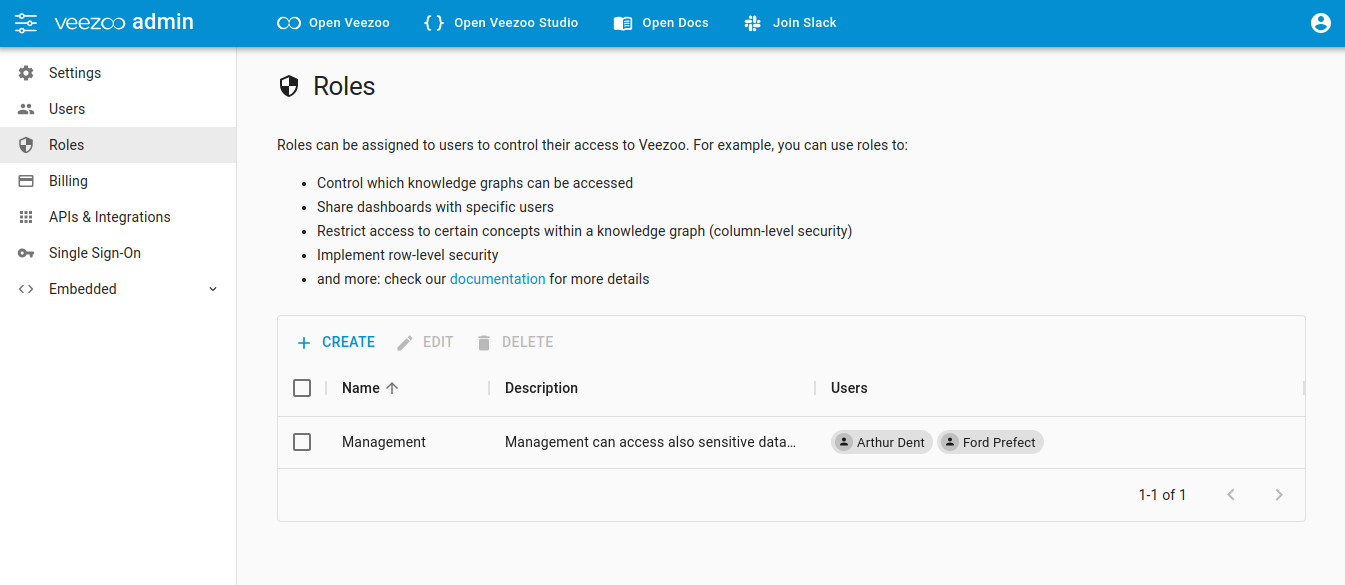
To define a role:
- Go to the Roles page
- Click on the Create button
- Enter the name and description for the role
- Assign users to the role.
Here is how the interface looks like:
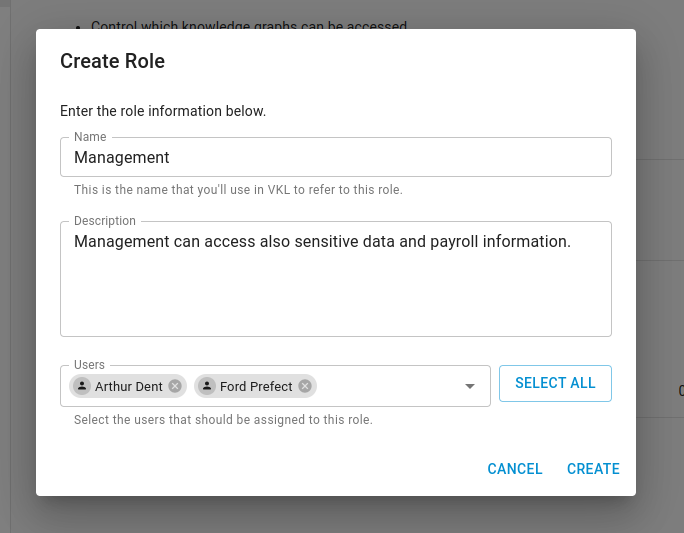
If you are utilizing Single Sign-On (SSO), you will manage role assignment through the Single Sign-On interface.
Discoverable Roles (User Groups)
By default, roles are only visible to Creators and Admins. Enable Discoverable as a group on a role to let all users see it and share boards and other content with it - effectively turning the role into a user group for departments, teams or working groups.
If a role is also used to restrict access to Knowledge Graphs, Veezoo shows a warning before you make it discoverable. Sharing a board with a role never changes who can access the underlying data, but it is good practice to keep roles used for data access separate from roles used as groups for sharing.
Role-Based Access Control (RBAC)
Once roles are defined and assigned to users, you can use these roles to manage access to different parts of Veezoo. This includes:
Knowledge Graphs
You can specify which roles have access to certain Knowledge Graphs. This allows you to control access to different data sets based on a user's role.
Read more about it under Managing Access to Knowledge Graphs.
Boards
Boards can be shared with specific roles: Creators and Admins can share with any role, and all users can share with discoverable roles. This lets you share analytical insights and dashboards with the right groups of users, enhancing collaboration while ensuring data security.
Read more about it under Sharing Boards with Roles.
Attributes in Knowledge Graphs
For even more granular access control, you can specify which attributes in a Knowledge Graph a role can access. This can help to ensure that sensitive data is only accessible to authorized roles.
Read more about it under Column-Level Permission.
Remember, the power of roles comes from their ability to aggregate users into groups with common access and permissions. Use roles to simplify the management of user access in Veezoo, and to create a secure and efficient environment for your data analytics.
Ensure that you regularly review and update role assignments to keep up with changes in job responsibilities and organizational structure.
If you encounter any issues or have questions about role management in Veezoo, don't hesitate to contact us for support.