Viewer, Creator, and Admin Users
In Veezoo, users are assigned one of three user types: Viewer, Creator, or Admin.
Viewer users are the primary end users of Veezoo in your organization. These users access and analyze data through the platform.
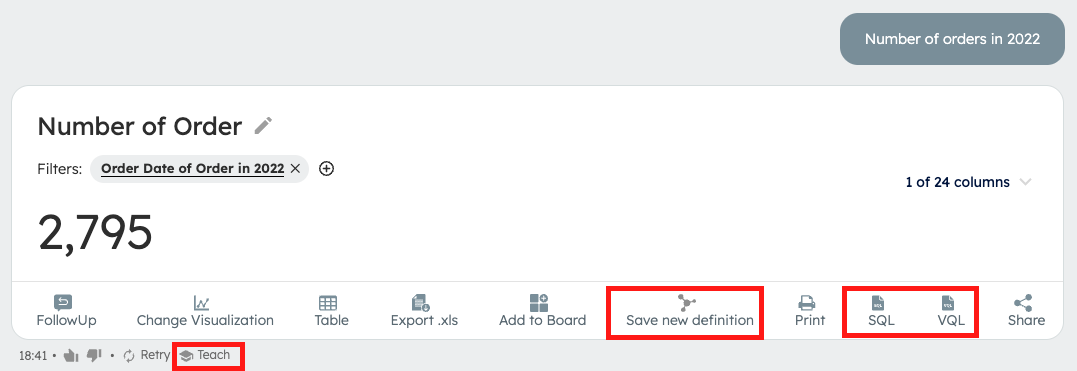
Creator users have all the capabilities of Viewer users, plus access to Veezoo Studio to modify knowledge graphs and related configurations.
Admin users have all the capabilities of Creator users, plus access to Veezoo Admin for organization-level configuration (user management, SSO, roles, etc.).
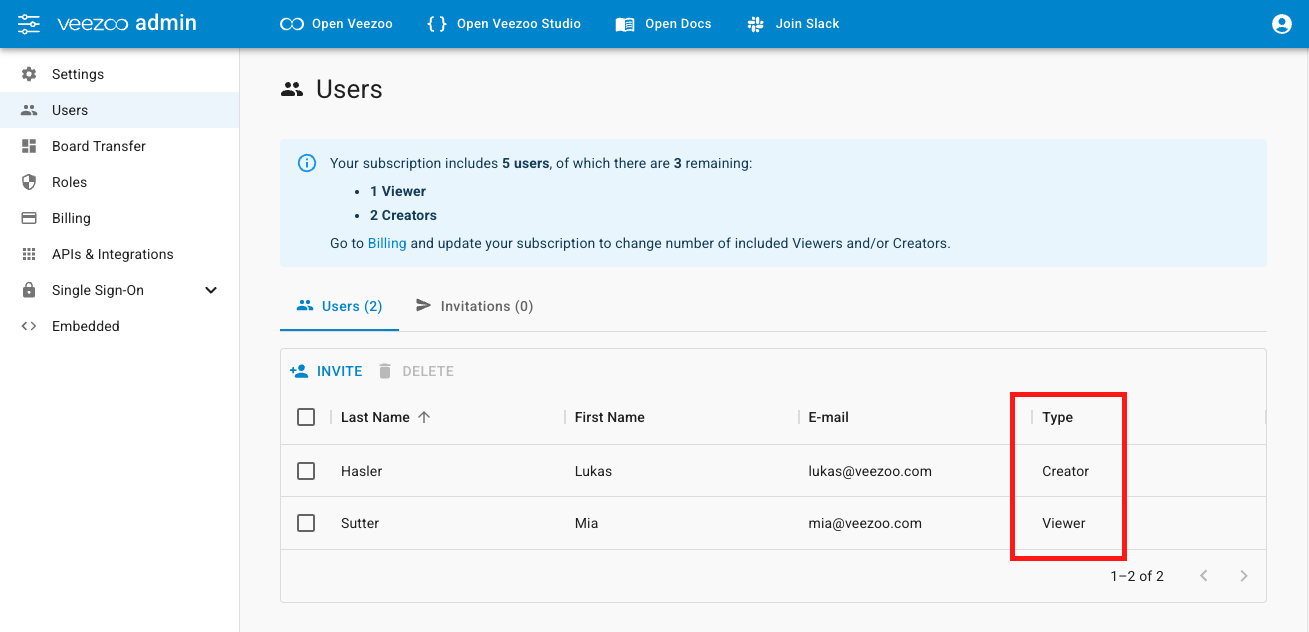
In Veezoo Admin, navigate to Users to view a list of all users and their assigned types:
Defining User Types
User types are assigned during the invitation process:
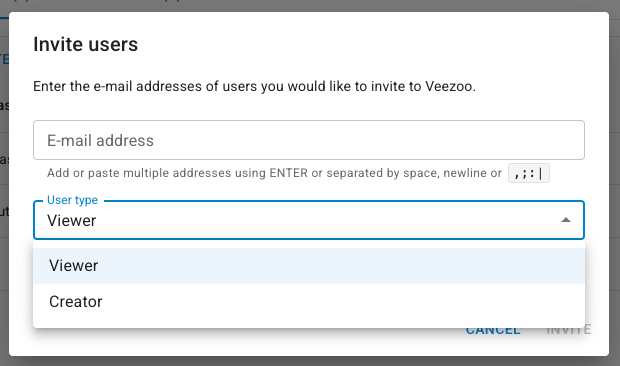
Once assigned, types cannot be easily changed.
If your organization uses Single Sign-on, refer to the SAML or JWT documentation for type configuration.
User Type Capabilities
| Capability | Viewer | Creator | Admin |
|---|---|---|---|
| Ask questions to Veezoo | ✅ | ✅ | ✅ |
| Access Veezoo Studio² | ❌ | ✅ | ✅ |
| Access Veezoo Admin¹ | ❌ | ❌ | ✅ |
| Save new definitions from chat | ❌ | ✅ | ✅ |
| Add synonyms³ | ❌ | ✅ | ✅ |
| Modify names and descriptions³ | ❌ | ✅ | ✅ |
| Teach new concepts | ❌ | ✅ | ✅ |
| Create relationships in visual mode³ | ❌ | ✅ | ✅ |
| View VQL and SQL queries | ❌ | ✅ | ✅ |
| See detailed SQL error messages | ❌ | ✅ | ✅ |
| Create standard boards | ✅ | ✅ | ✅ |
| Create VKL boards | ❌ | ✅ | ✅ |
| Share boards with specific users | ✅ | ✅ | ✅ |
| Share boards with roles | ❌ | ✅ | ✅ |
| Make boards accessible for the whole organisation | ✅ | ✅ | ✅ |
| Set default sidebar boards | ❌ | ✅ | ✅ |
| Access MetaVeezoo | ❌ | ✅ | ✅ |
¹ * Veezoo Admin includes user management, board transfers, and role administration.*
² * Veezoo Studio allows knowledge graph configurations, such as importing tables or creating new classes.*
³ * This can be done directly through the UI in the knowledge graph sidebar or visual mode, not only in Veezoo Studio.*
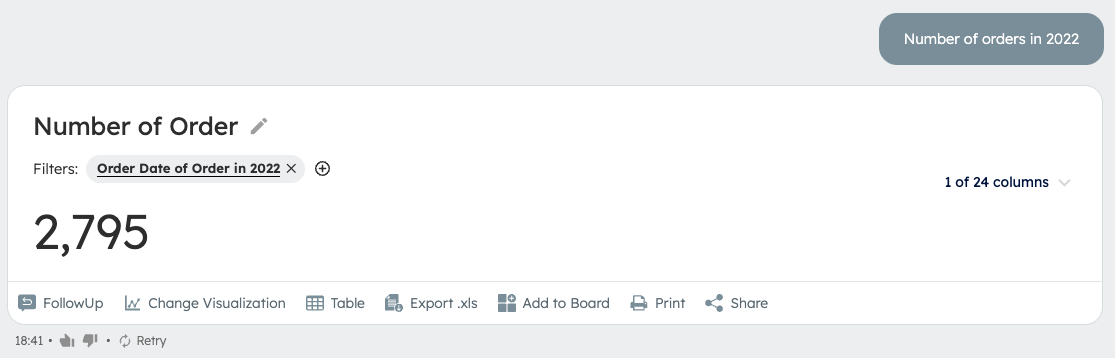
Example of a viewer answer:
Example of a creator answer: